

Tempo Push
Play any loop and song at any speed without changing its key — pitch-locked, changed mid-playback, on buttons you can hit without looking at the screen. And when you need the music without the voices, or the voices without the music, it separates them right there on your machine.
See Pricing
Download for Windows
Lifetime license option14-day money-backPriority support
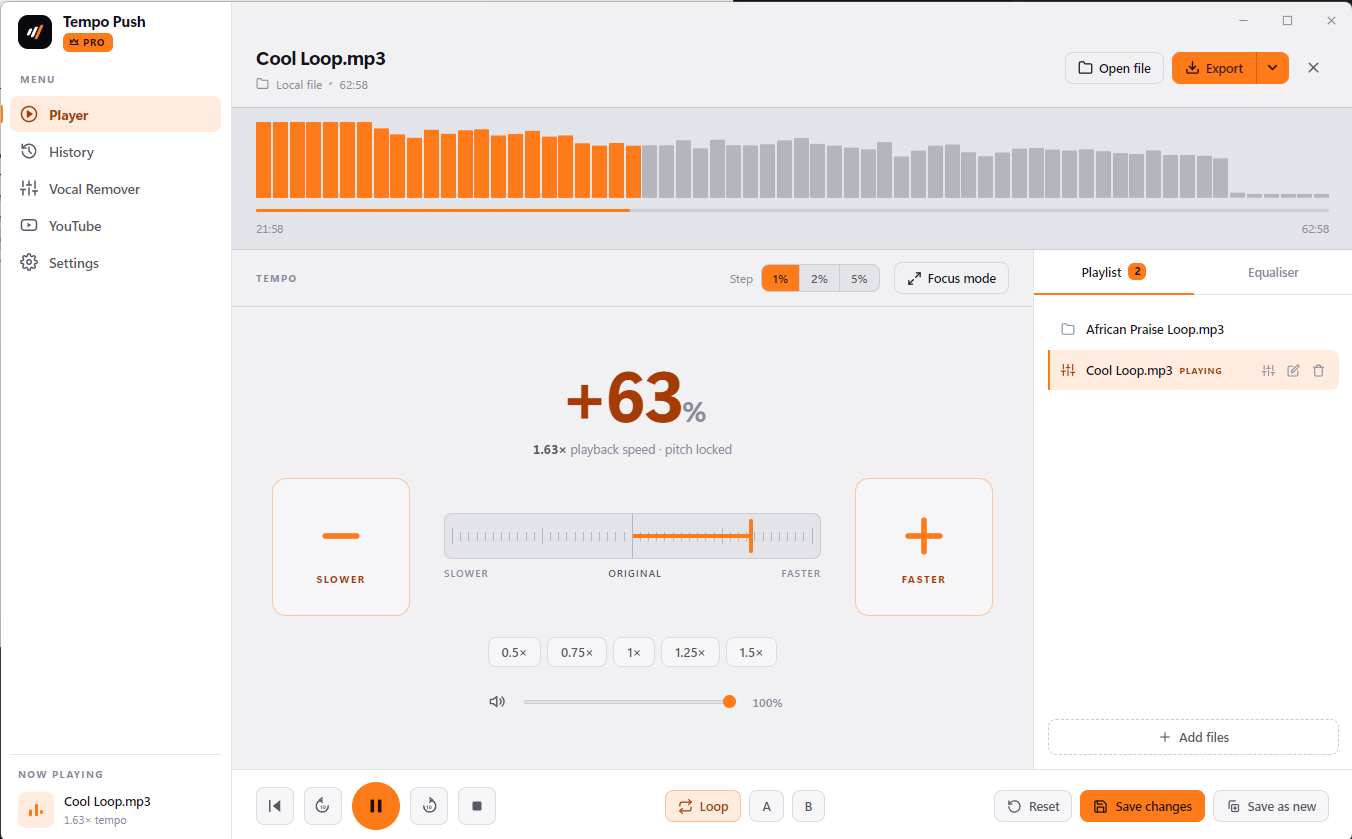
Built for musicians who play to loops.
Two jobs it is built for. Plenty it does along the way.
Tempo, same keyAnywhere from 25% to 200%. Change it while it plays.Music and voices, splitA clean backing track and a clean vocal, in minutes.Loop and A–BThe whole track, or just the bar between A and B.Export MP3 / WAVYour speed and your EQ, saved as a file.
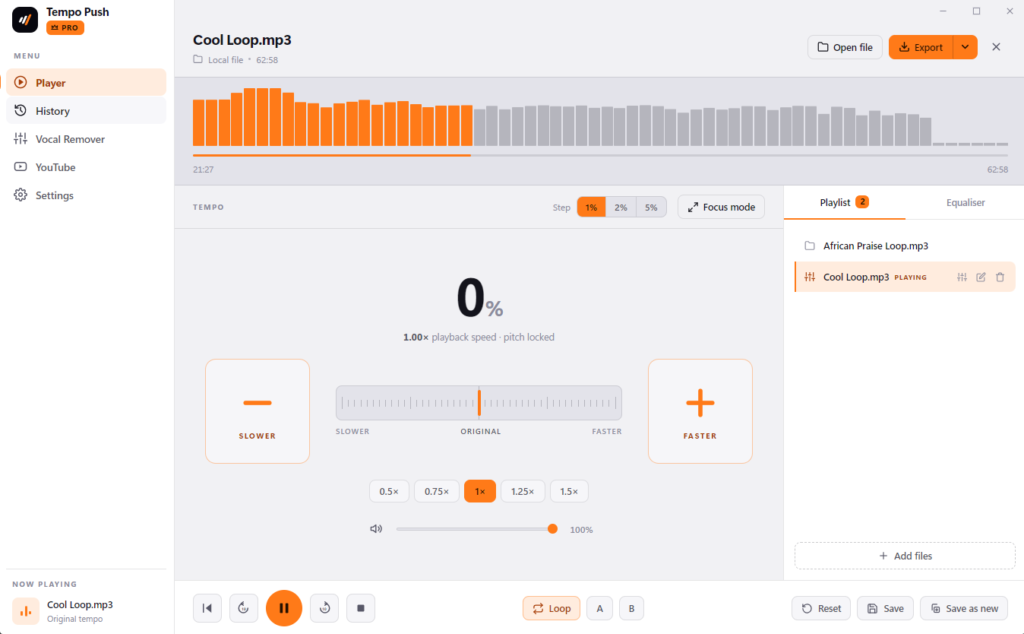
Thoughtful details throughout
Focus mode
One keypress and the app goes fullscreen: enormous tempo buttons, the current speed in huge type, nothing else. Readable across a room, hittable with an instrument in your hands.
History that remembers
Every track comes back with its tempo, EQ and loop points exactly as you left them, so last week's setup is one click away.
Playlist for a set
Queue your loops in the order you play them and switch between them instantly — two decks under the hood mean the change is gapless.
Load it however you keep it
Drag and drop anywhere in the window, browse for a file, paste a YouTube link, or pull from Dropbox, Google Drive or Archive.org. MP3, WAV, AAC, M4A, FLAC, OGG, Opus, AIFF and WebM.
Dark and light themes
A proper dark mode for a dim stage or a late session, a clean light theme for a bright rehearsal room.
Keyboard shortcuts
Space to play, ↑/↓ for tempo, ←/→ for volume or seek, R to reset, L to loop, A and B to set the loop points, F for focus mode. Typing in a text field always wins.
Simple, transparent pricing
Choose the license that fits your needs.
Free
✓
Pitch-locked tempo, 0.25× to 2.0×
✓
5-band EQ with presets
✓
Focus mode and keyboard shortcuts
✓
Drag, drop or browse local files
✓
Dark and light themes
✓
10-minute play limit per song
Download Now
Single Device — Pro
₦
7,999
59,999
/month
/year
⚡ 14-day free trial, no credit card required
✓
Everything on Free
✓
Unlimited playback — no 10-minute limit
✓
Separate music from voices — instrumental + vocal
✓
Seamless loop and A–B repeat
✓
Playlists and full history
✓
Export to MP3 / WAV
✓
YouTube practice mode
✓
Runs on-device, fully offline
✓
Stems saved to disk and re-downloadable
✓
Priority support
Get started
Most Popular
5 Devices — Pro
₦
14,999
149,999
/month
/year
⚡ 14-day free trial, no credit card required
✓
Everything on Free
✓
Unlimited playback — no 10-minute limit
✓
Separate music from voices — instrumental + vocal
✓
Seamless loop and A–B repeat
✓
Playlists and full history
✓
Export to MP3 / WAV
✓
YouTube practice mode
✓
Runs on-device, fully offline
✓
Stems saved to disk and re-downloadable
✓
Priority support
Get started
Unlimited Devices — Pro
₦
49,999
399,999
/month
/year
⚡ 14-day free trial, no credit card required
✓
Everything on Free
✓
Unlimited playback — no 10-minute limit
✓
Separate music from voices — instrumental + vocal
✓
Seamless loop and A–B repeat
✓
Playlists and full history
✓
Export to MP3 / WAV
✓
YouTube practice mode
✓
Runs on-device, fully offline
✓
Stems saved to disk and re-downloadable
✓
Priority support
Frequently asked questions
Does changing the tempo change the pitch?
No — that is the whole point. Tempo Push runs a real pitch-locked time-stretch engine, so a loop at 80% is in the same key it always was, just slower. A media player simply plays the file back slower, which drags the pitch down with it and makes it impossible to play or sing along.
Can I change the speed while a loop is playing?
Yes, and that is how it is meant to be used. The engine hands over between playback modes mid-track with a few milliseconds of declick, so the audio does not stop, stutter or lose its place. Hold the button and the speed ramps smoothly rather than jumping.
Does the vocal separation upload my music?
No. It runs entirely on your own machine: a UVR-MDX-NET neural model loaded through ONNX Runtime, working on your CPU. It functions with the network unplugged, and your audio never leaves the computer. The model ships inside the installer, so a fresh install separates offline from the first run.
Can a choir use it to get a backing track?
That is one of the two things it was built for. Load the recording, run it through the vocal separator, and you get the instrumental and the voices as two separate files — keep whichever you need, run it at whatever tempo the room can sing, and export it.
What can I load, and what does the free version limit?
MP3, WAV, AAC, M4A, FLAC, OGG, Opus, AIFF and WebM, by drag and drop, file browser, or a link from Dropbox, Google Drive or Archive.org. The free version plays any of them with full tempo control and the EQ, and stops after 10 minutes per song; looping also inserts a short pause between passes. Loop, A–B, playlists, history, export, YouTube mode and the vocal separator need a licence.
Do I need an account?
No. There is no sign-up and no password — a licence key is the only credential the app ever asks for. Manage the machines a key is redeemed on from Settings ▸ Your devices, and remove one to free its seat for a new PC.
Ready to take the tempo?
Download Tempo Push, drop in the loop you are working with, and move it to where you want it. The free version needs no account and no card.
Get it now
14-day money-back guarantee · Priority support